
 25 June 2026
 Share
Share
1
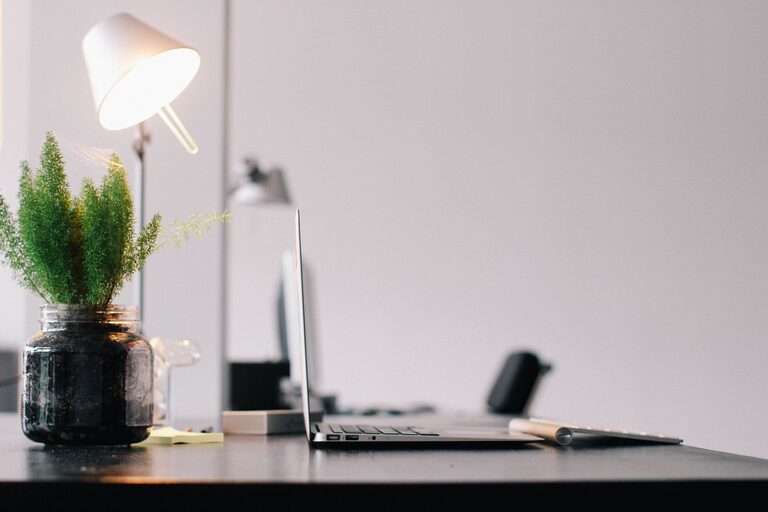
Creating a productive home workspace has become essential as more people work remotely or pursue personal projects at home. A well-designed space can enhance your focus, reduce distractions, and keep you motivated throughout the day. Whether you have a dedicated room or just a small corner, these tips will help you create an environment where you can work effectively and comfortably.
Start by selecting a spot in your home that suits your work style and needs. Ideally, choose a quiet area with minimal foot traffic and distractions. If possible, find a space that receives natural light, which can boost your mood and energy levels.
Avoid working from places where you usually relax, such as your bed or sofa, to help your brain associate your workspace with productivity.
Comfort is key for maintaining productivity over long periods. Select a chair with good lumbar support and an adjustable height to keep your posture healthy.
A spacious desk allows you to organize your materials without clutter. If space is limited, consider a wall-mounted or foldable desk to maximize your area.
Clutter can distract and stress you, so keeping your desk tidy is important. Use organizers like trays, pen holders, or drawer dividers to keep supplies in place.
Keep only the essential items on your desk to maintain a clean surface. Digital tools, like cable organizers and wireless devices, can reduce mess and make your workspace more streamlined.
Proper lighting reduces eye strain and fatigue. Position your workspace near a window for natural light and use adjustable desk lamps to brighten your area during darker hours.
Choose bulbs that emit soft, daylight-like light, as harsh or dim lighting can affect both your productivity and comfort.
If you live in a noisy environment, consider noise-cancelling headphones or white noise machines to block out distractions.
Set ground rules with family or housemates about your work hours to minimize interruptions. Using a “Do Not Disturb” sign can also signal when you need focused time.
Adding personal touches can make your workspace inviting and motivating. Photos, plants, or artwork can brighten the area without causing distraction.
Plants not only improve the look but can also enhance air quality and reduce stress levels, contributing to a better workday.
Ensure your technology supports your workflow without causing frustration. Invest in a reliable computer, fast internet connection, and necessary peripherals such as external monitors or keyboards.
Keep your software updated and organized, and back up your work regularly to avoid data loss.
Creating a routine helps your mind switch into work mode. Start your day with a set time to begin working and take regular breaks to recharge.
Clearly define your workspace hours, especially if you live with others, to maintain a healthy work-life balance. When your workday ends, step away from your space to mentally disconnect.
Good air quality and ergonomics support your physical well-being. Open windows for fresh air when possible, and use an ergonomic setup to prevent repetitive strain injuries.
Stretch periodically and change your sitting position to stay comfortable and alert.
Designing a productive home workspace is about balancing comfort, organization, and personal preferences. By thoughtfully arranging your environment and setting boundaries, you can create a space that enhances your focus and helps you reach your goals every day.
Remember, productivity isn’t about perfection but about creating a sustainable and enjoyable work routine tailored to you.
