
 25 June 2026
 Share
Share
1
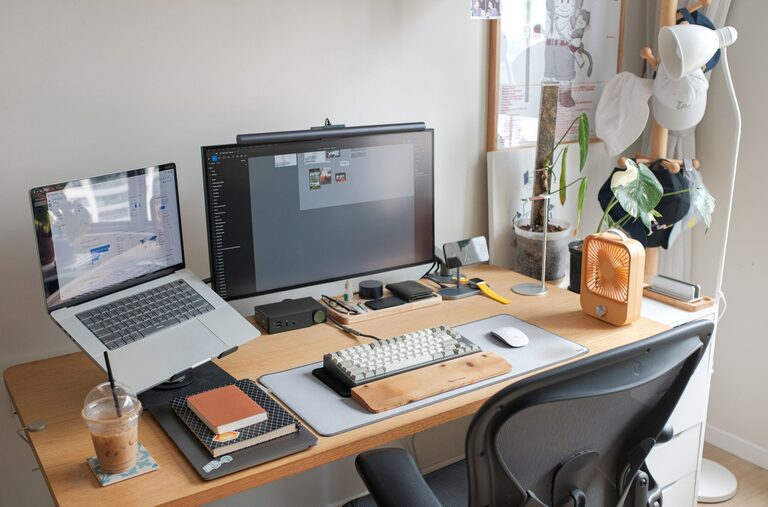
Creating a productive home office space can significantly improve your work-from-home experience. Whether you’re adjusting to remote work or looking to upgrade your current setup, a well-organized and comfortable environment helps you stay focused and motivated. Here are some key tips to help you create a home office that supports your best work.
Selecting a quiet corner or room primarily dedicated to work minimizes distractions. Avoid areas with heavy foot traffic, loud appliances, or where family members often gather.
Working near a window with natural light can boost your mood and energy levels. If natural light is limited, invest in good quality lighting that reduces eye strain.
A comfortable chair with good back support prevents discomfort during long work hours. Look for adjustable features like seat height and armrests.
Choose a desk that fits your space and needs. It should be large enough to hold your computer, notepads, and other essentials without feeling cluttered.
Consider a standing desk or a convertible desk to alternate between sitting and standing. This helps reduce stiffness and increase circulation.
A tidy workspace improves focus. Keep only the essentials on your desk and store other items in drawers or shelves.
Desk organizers, file holders, and cable management solutions help maintain order and accessibility.
Add a few personal touches like plants, photos, or artwork to make your space inviting. Avoid overcrowding to maintain a professional feel.
Ensure your internet is fast and stable to avoid interruptions during virtual meetings and online tasks.
Invest in a good computer, monitor, keyboard, and mouse to enhance comfort and efficiency.
Use noise-cancelling headphones or quality speakers to improve audio during calls and reduce distractions.
Stick to regular work hours to separate your professional life from personal time.
Make your home office a place strictly for work, helping your brain associate the space with productivity.
Incorporate short breaks to stretch, hydrate, or walk around. This keeps your energy up and prevents burnout.
Position your monitor at eye level and about an arm’s length away to avoid neck and eye strain.
Keep your keyboard and mouse close enough to maintain a natural wrist position.
Avoid screen glare by positioning your desk perpendicular to windows and using adjustable lighting.
Consider white noise machines, fans, or ambient music to mask distracting sounds.
Discuss your work schedule with household members and ask for quiet during work hours.
Plants improve air quality and add a soothing touch to your office space.
Keep the room well-ventilated to feel fresh and alert throughout the day.
Creating a productive home office is about balancing comfort, functionality, and organization. Tailor these tips to your personal work style and space, and you’ll enjoy a more enjoyable and efficient work-from-home experience. With the right environment, you can boost your focus, creativity, and overall job satisfaction.
